Digital Practical Completion & Snagging

Manage Snag Lists and Pre-Handover without Excel files.

The handover phase is often the most chaotic part of construction administration. Forget lost handwritten notes and endless spreadsheets. Klysia allows you to pinpoint non-conformities on-site, assign tasks to subcontractors, and track defect clearance in real-time.

Manage My Project Snags

Optimized interface for tablets and smartphones for site inspections.

Software interface for capturing and pinning site snags on a tablet

Capture and Pin Every Snag Directly on Blueprints

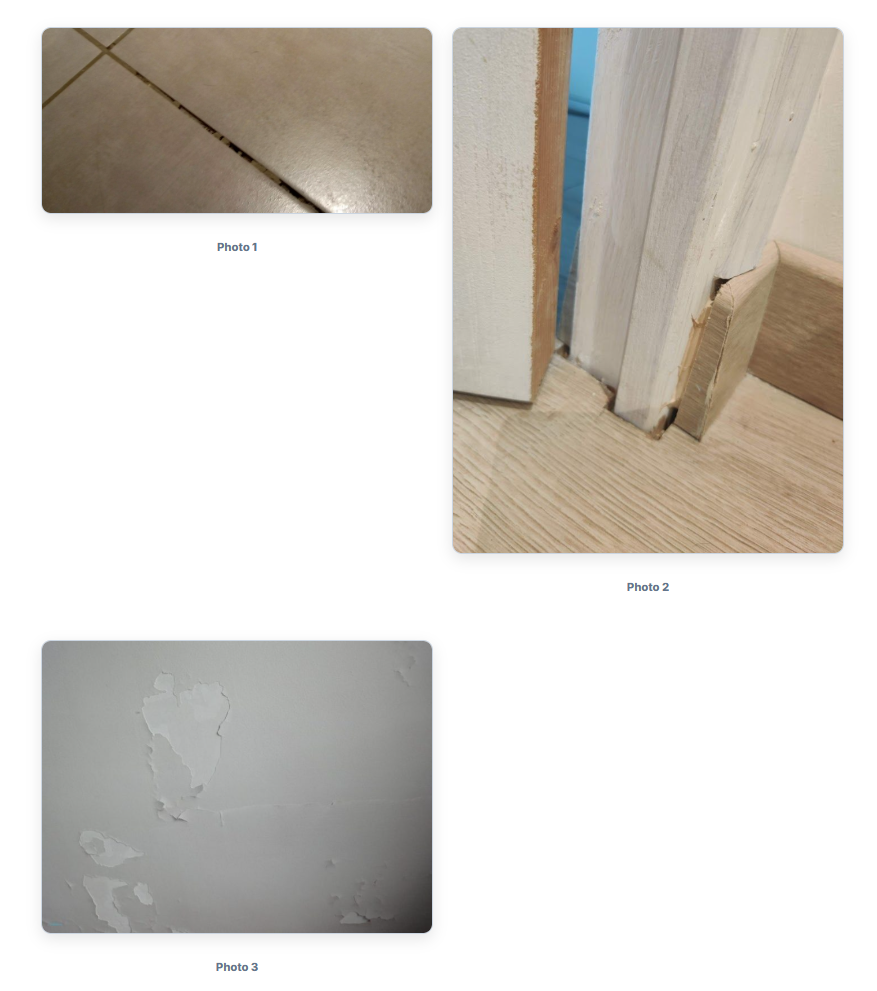
During Pre-Handover Inspections (PHI), capture speed and technical clarity are essential to meeting delivery deadlines. Using your tablet or smartphone on-site, instantly photograph any workmanship defect or non-compliance.

Our assistant allows you to precisely place a location pin on floor plans (e.g., Building B, Floor 1, Unit 104, Bathroom) and link visual annotations. Contractors can no longer dispute the exact location of a defect.

Specific Punch Lists for Every Subcontractor Trade

The classic mistake during practical completion is sending a global 60-page PDF containing every trade's issues to all contractors. Trades lose time searching for their items and shift blame. Klysia solves this at the source.

  • Automated Trade Segmentation: Every logged snag is immediately assigned to the responsible company (Drywall, Painting, Joinery, Plumbing).
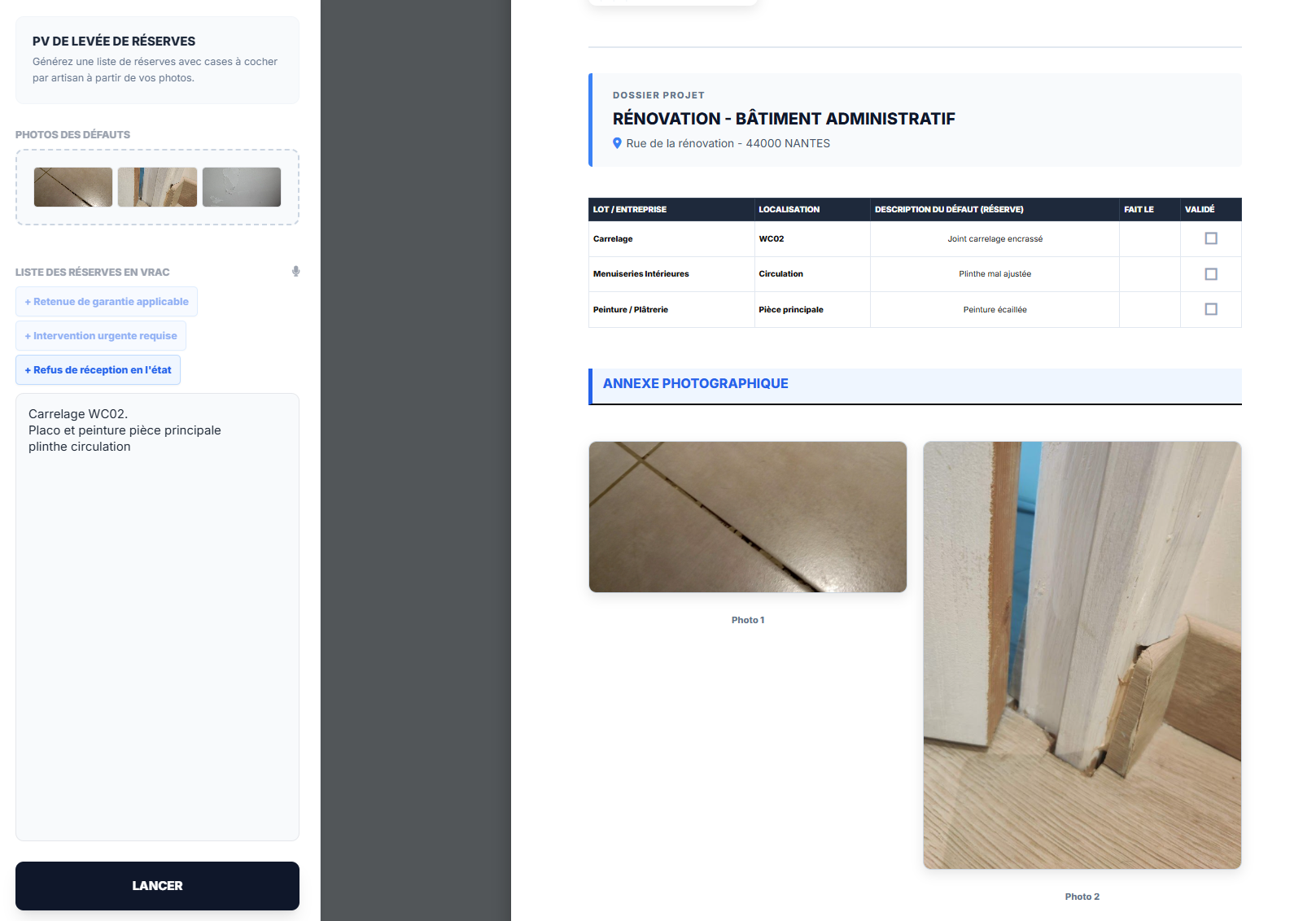
  • Individual Clearance Sheets: Generate a unique PDF for each subcontractor containing only their specific punch items with one click.
  • Checkbox Tracking: Site managers and foremen get a clear sign-off sheet to validate their remedial work.
Snag list summary report sorted by subcontractor trade package

Generate Compliance-Ready Practical Completion Certificates

The progress of remedial work is displayed dynamically on your agency dashboard. Instantly identify which trade is slowing down the snagging process and delaying the keys being handed over to the client.

Once trade self-checks are complete, update the status with a tap and export official Handover Certificates. You ensure your clients a smooth, transparent project close-out, free from insurance liability risks or hidden defects.

Securing Project Close-out: A Guide to PHI and Practical Completion

1. Legal and Operational Stakes of Project Handover

The closing phase of a construction project is the most critical legal milestone of Construction Contract Administration. Practical Completion is the act by which the client declares they accept the works, with or without snags, in the presence of the architect and contractors. This formal act triggers the start of statutory warranties and liability periods.

Managing Pre-Handover Inspections (PHI) is therefore a high-stakes phase. A lack of rigor in identifying non-conformities, defects, or architectural finish issues can expose the client to structural problems later or complicate the release of financial retentions held by banks.

2. Moving Beyond Manual Spreadsheet Snag Lists

The traditional method of managing punch lists involves loose notes taken during site walks, followed by tedious manual entry into Excel back at the office. The site manager or architect must sort lines, link photos from their phone, redefine locations, and manually email files to various subcontractors.

This manual workflow leads to high error rates, lost field data, and reporting delays of several days. Adopting mobile construction snagging software radically transforms agency productivity. By capturing data at the source via a mobile app, inspection reports are instantly structured by trade and shared in real-time. This drastically reduces lead times for remedial works before the contract delivery date.

3. Progress Traceability: A Shield Against Litigation

Tracking snag clearance requires rigorous traceability to avoid blame-shifting between trades (e.g., a painter damaging an electrician's work). Implementing a shared management dashboard allows statuses to be locked collaboratively.

Every logged defect moves through a transparent validation loop: from 'Identified' to 'Corrected' by the trade, and finally to 'Cleared' by the lead consultant. This accountability accelerates the issuance of the Final Completion Certificate, protects the client's financial interests, and ensures a perfect aesthetic and functional finish for the property.

A Complete Software Ecosystem for Architects and Lead Consultants

Klysia streamlines your administrative and technical phases, from feasibility through to handover.

Frequently Asked Questions - Snagging & PHI

Does the mobile app work offline in "dead zones" or basements?
Yes, absolutely. The app includes a powerful offline mode. You can walk the site, take photos of defects, pin them to floor plans, and log remarks without any signal. Data is saved locally and automatically syncs to your dashboard as soon as you reconnect to 4G or Wi-Fi.
Do subcontractors need a Klysia account to view their snag lists?
No, they don't. To keep the workflow simple on-site, Klysia generates instant PDF defect reports, filtered by trade package. You can export and send these individual lists directly via email or your usual communication channels with a single click.
Can I customize PDF reports and certificates with my firm's branding?
Yes. All technical and legal deliverables exported from Klysia (site reports, PHI status, Snag Clearance Certificates) include your architectural firm or general contractor logo, contact info, and the client's administrative details for a professional finish.

Master Your Project Handovers Without the Stress.

Join construction professionals who close out projects faster, without Excel spreadsheets and without disputes.

Get Started with Klysia